Free Backlink Checker Tools are essential if you are trying to grow your website in 2026 and wondering why your competitors are ranking higher than you. The secret is often not just content, it’s backlinks. If you want to beat them, you need to know how to check backlinks of any website.
In my early days of SEO, I used to think writing more articles was enough. I was wrong. I was publishing daily but my Domain Authority was stuck at 12. When I finally checked my backlink profile, I realized I had only 20 referring domains while my competitor had 800. That day changed everything for me. A backlink checker tool is not just a tool, it’s your roadmap to rank on Google.

Table of Contents
What is a Backlink Checker Tool?
A backlink checker tool is an SEO tool that shows you all the external links pointing to any website. Think of the internet as a voting system. When a reputable website links to your website, Google counts it as a vote of confidence. The more high-quality votes you get, the higher your authority and ranking.
A good backlink checker will show you four critical things:
- Total Backlinks: The total number of links pointing to the domain.
- Referring Domains: How many unique websites are linking to you. 100 links from 1 website is weaker than 10 links from 10 different websites.
- Domain Authority (DA) & Page Authority (PA): Scores developed by Moz that predict ranking potential from 1 to 100.
- Anchor Text & Link Type: Whether the link is Dofollow (passes SEO value) or Nofollow (does not pass value but still useful for traffic).
How to Check Backlinks of Any Website – Step by Step Guide
You don’t need to be an SEO expert. Here is the exact process I follow every single time, whether I am checking my own site tool.saasmaganews.com or a giant like Wikipedia.
Step 1: Copy the Website URL You Want to Analyze
It can be your homepage (example.com), a competitor’s homepage, or even a specific blog post URL (example.com/best-seo-tools). For competitor research, always start with the homepage and then check their top-performing blog posts.
Step 2: Paste it into a Backlink Checker Tool
Go to any of the tools I have listed below. You will see a search bar that says “Enter domain or URL”. Paste the URL there and click “Check” or “Analyze”. Most free tools will show you the top 50-100 backlinks for free, which is more than enough for beginners.
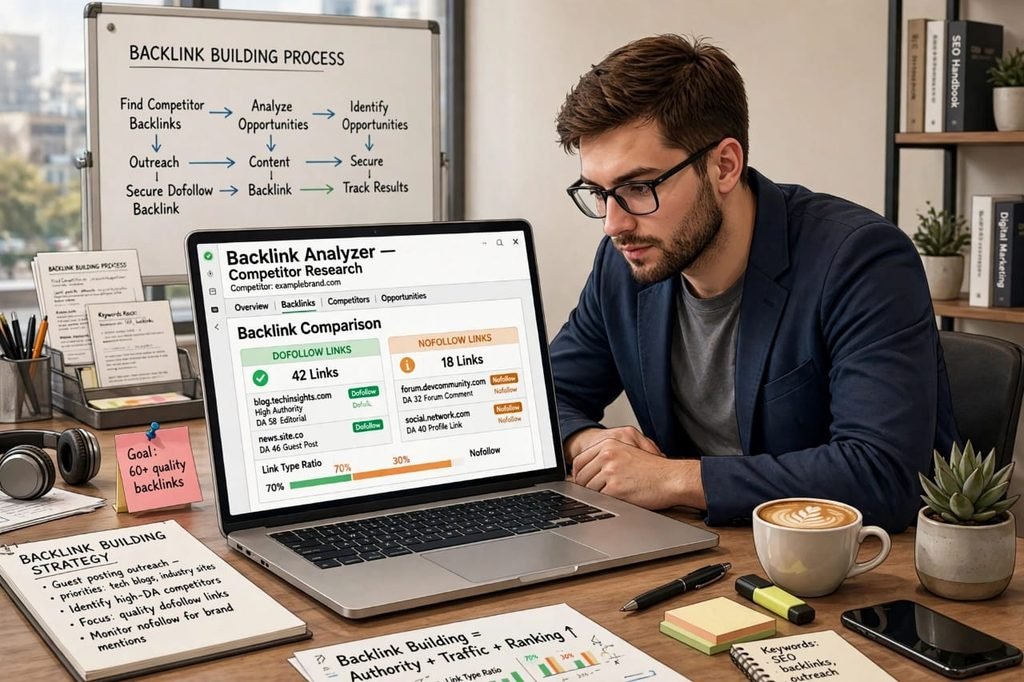
Step 3: Analyze the Report Like a Pro
This is where most beginners make a mistake. They just look at the total number. Don’t do that. Look at these metrics:
- Check Toxic Score: If a site has 1000 backlinks but 40% are from spammy casino or adult sites, Google will penalize it, not reward it. A good tool shows you toxic backlinks.
- Check Authority: One backlink from a DA 90 site like Forbes is worth more than 100 backlinks from DA 10 blogs.
- Check Link Type Distribution: A natural profile should be around 70-80% Dofollow and 20-30% Nofollow. If it’s 100% Dofollow, Google knows you are building links artificially.
Top 7 Free Backlink Checker Tools in 2026 [Tested by Me]
I have personally tested over 15 tools in the last year. Some are amazing but expensive, some are free but show fake data. Here are the 7 that are genuinely free and accurate in 2026.
1. Ahrefs Free Backlink Checker – The Most Accurate
Ahrefs has the second-largest web crawler after Google itself. Its free version shows you the top 100 backlinks for any domain, Domain Rating (DR), and anchor text. The data is incredibly fresh.
Positive: Most accurate data, shows broken backlinks, huge database.
Negative: Free version is limited to 100 links and you need to create a free account. Full features cost $99/month which is expensive for beginners.
2. SEMrush Backlink Analytics
SEMrush is my personal favorite for competitor analysis. You can not only see backlinks but also see which backlinks your competitor gained and lost in the last 30 days. This helps you replicate their strategy.
Positive: Excellent for competitor tracking, shows Authority Score, integrates with other SEO tools.
Negative: Free account allows only 10 searches per day. Data is sometimes slower to update than Ahrefs.
3. Moz Link Explorer
Moz invented the terms Domain Authority and Page Authority. If you care about DA and PA, this is the original tool. It shows Spam Score which is very useful to identify toxic links.
Positive: Best for checking DA/PA, shows Spam Score, very beginner-friendly interface.
Negative: Its link index is smaller than Ahrefs and SEMrush, so it shows fewer backlinks.
4. Ubersuggest by Neil Patel
Ubersuggest gives you 3 free searches daily without even needing a credit card. It shows domain overview, top pages, and backlink data in a very simple visual format. Perfect for beginners who get confused by complex dashboards.
Positive: Completely free for 3 searches, very easy to understand, also shows keyword ideas.
Negative: Data accuracy is lower than premium tools, shows limited backlink data.
5. SmallSEOTools Backlink Checker
This tool is 100% free and unlimited. No account needed. Just paste and check. It is very popular among students and new bloggers in Pakistan and India.
Positive: Unlimited free checks, no sign-up required.
Negative: Lots of ads and popups, data is not very deep, shows only basic backlinks, sometimes slow.
6. DupliChecker Backlink Checker
Similar to SmallSEOTools, it offers free unlimited checks but with a slightly better interface. It also provides a list of the anchor texts used.
Positive: Free, fast, shows anchor text distribution.
Negative: Accuracy is questionable for large websites, does not show referring domains properly.
7. Our Free Tool at tool.saasmaganews.com
We built our own free backlink checker tool specially for beginners who cannot afford $99/month for Ahrefs. It is simple, fast, and shows total backlinks, referring domains, and DA/PA instantly.
Positive: Free, fast, no login, made for beginners, no ads.
Negative: We are still growing our database, so for very large sites like Amazon, we may show fewer results than Ahrefs (we are working on it).
What Should You Check in a Backlink Report?
Don’t just collect numbers. Here is what a smart SEO does after checking backlinks:
- Referring Domains Over Total Links: Always prioritize getting links from new domains. Getting your 50th link from the same website has almost zero value.
- Dofollow vs Nofollow Ratio: Aim for a natural ratio. If all your links are Dofollow, build some Nofollow links from Quora, Reddit, and blog comments to make it look natural.
- Anchor Text: If 90% of your anchors are “best SEO tools”, Google will think you are manipulating. A natural profile has branded anchors (your site name), naked URL anchors (example.com), and generic anchors (click here, learn more).
- Lost Backlinks: Check which valuable backlinks you lost in the last 90 days. You can often reclaim them by emailing the website owner and asking them to restore the link.
Common Mistakes to Avoid While Checking Backlinks
After auditing over 100 websites, I see the same 3 mistakes again and again:
1. Obsessing Over Quantity: Beginners celebrate 5000 backlinks. But if 4900 of them are from low-quality blog comments, they are worthless. One editorial link from a relevant blog in your niche is 100x more powerful.
2. Ignoring Toxic Links: Free tools show you toxic backlinks. If you have hundreds of spammy links, you must disavow them using Google’s Disavow Tool, otherwise you risk a Google penalty.
3. Not Checking Competitors: The fastest way to grow is to steal your competitor’s strategy. Check where your competitor gets their backlinks from and try to get a link from the same websites through guest posting.
Final Verdict – Which Tool Should You Use?
If you are just starting out and have zero budget, start with our tool at tool.saasmaganews.com and Ubersuggest. They will give you a clear picture without any complexity.
Once your website starts making money, invest in Ahrefs or SEMrush for one month. Use that one month to do deep competitor research, export all their backlinks into an Excel sheet, and then cancel. That one month of data can fuel your link building for the next 6 months.
Remember, checking backlinks is not a one-time task. Do it every 2 weeks. Track your growth, track your competitor’s growth, and keep building. Backlink building is a marathon, not a sprint.
Frequently Asked Questions
Q1: How to check backlinks of any website for free?
You can use free tools like Ahrefs Free Backlink Checker, Moz Link Explorer, Ubersuggest, or our free tool at tool.saasmaganews.com. Just paste the domain and you will get the top 100 backlinks instantly.
Q2: Which is the best free backlink checker tool?
For accuracy, Ahrefs is the best. For beginners and unlimited free checks, SmallSEOTools and our own tool at tool.saasmaganews.com are best. For competitor analysis, SEMrush is the best.
Q3: Can I check competitor backlinks for free?
Yes, absolutely. This is the best use of a backlink checker. Paste your competitor’s domain into Ahrefs or SEMrush and you can see exactly which websites are linking to them. You can then outreach to those same websites for your own site.
Q4: Are free backlink checker tools accurate?
Free tools are 70-80% accurate for small to medium websites. They may not show all backlinks for large sites. Premium tools like Ahrefs have a much larger index and are about 95% accurate. For a new website, free tools are more than enough.
Pingback: Free Keyword Research Tool for Beginners in 2026